
If you want to delete items from your Shopping or To-Do List you only need to follow the instructions below:
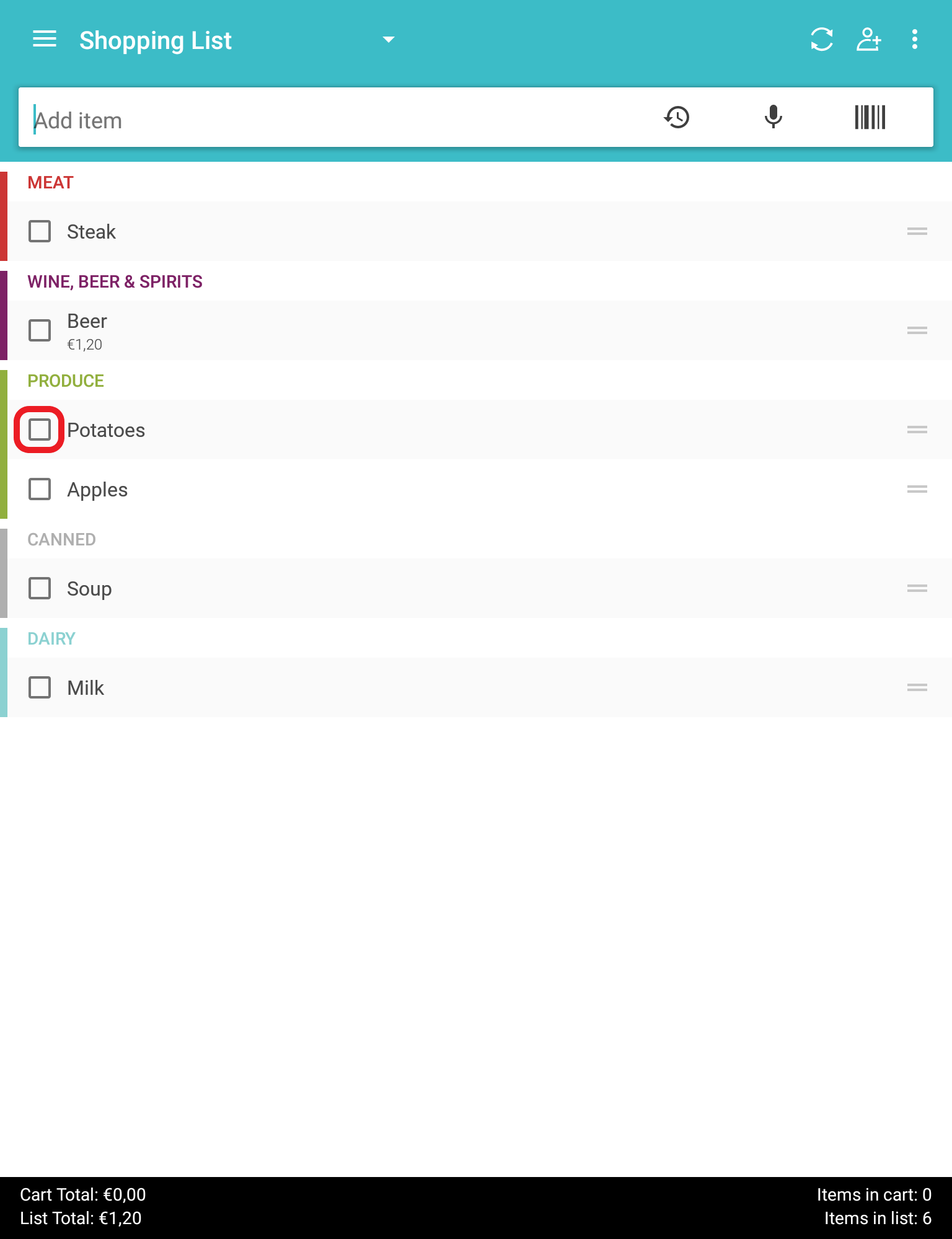
1. Click on the item that you no longer need or that you have already purchased:
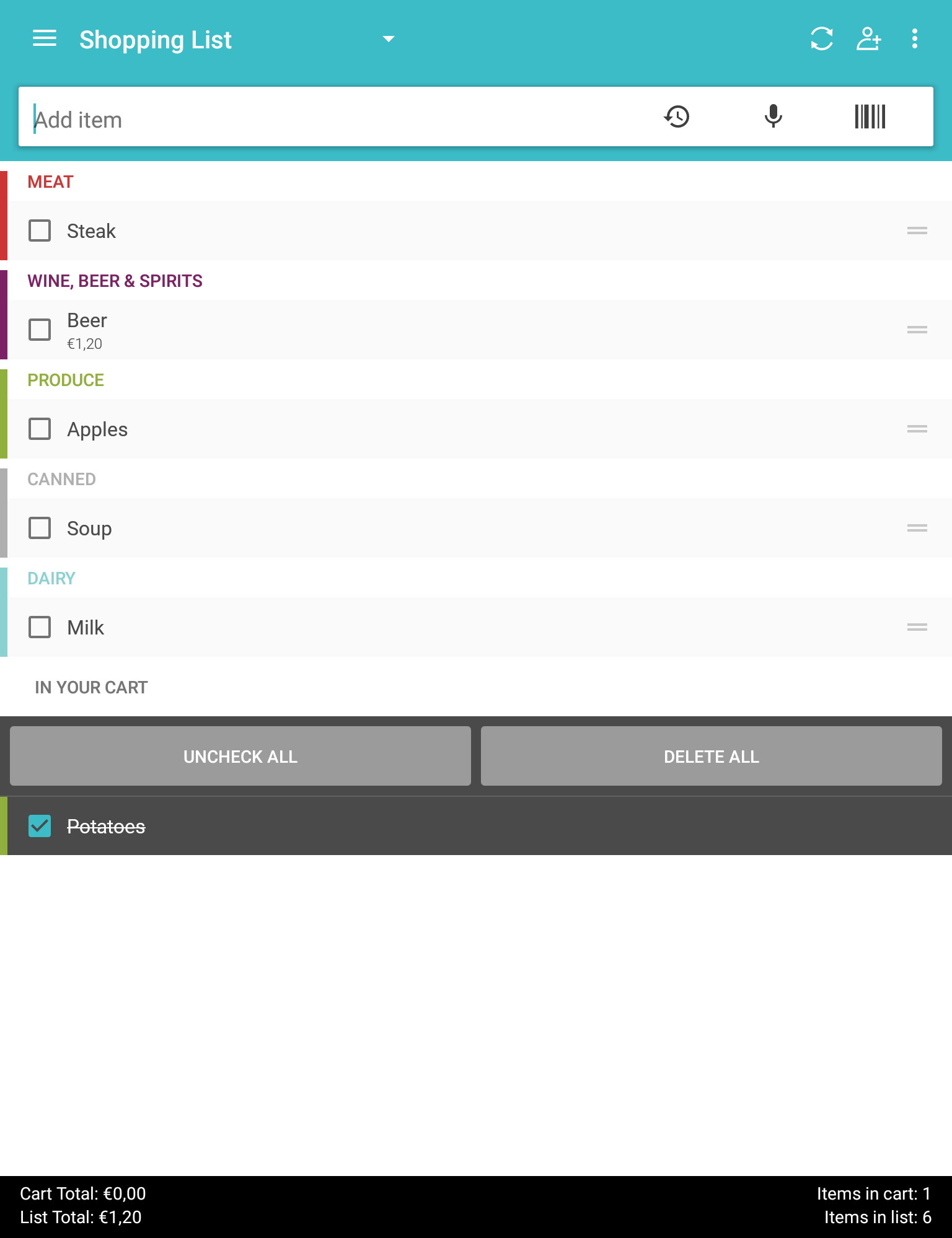
2. Then a new cart will open, called "in your cart" where you can see the canceled item. Now you have to click on "delete all":
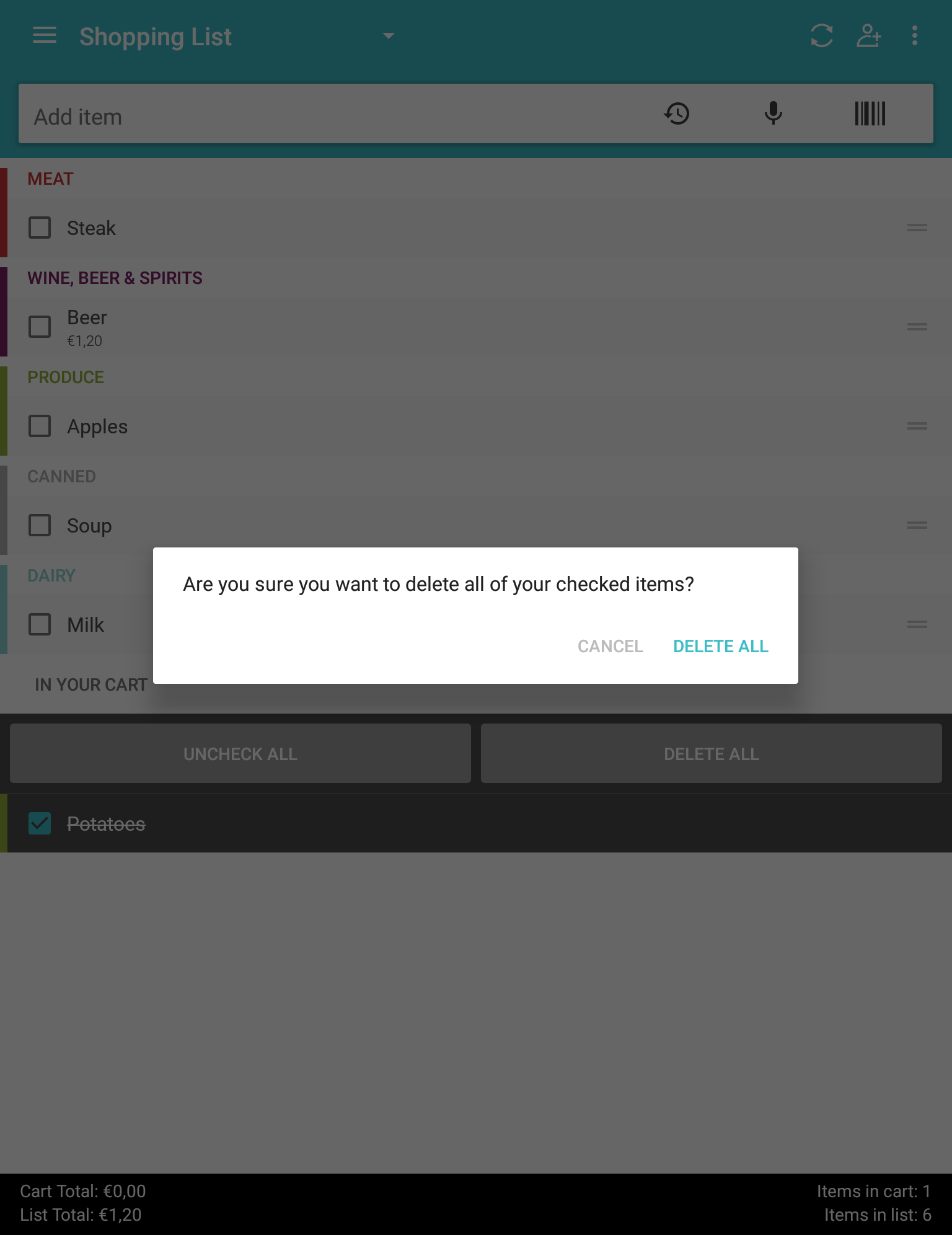
3. A new window will open asking if you want to permanently delete the selected items. Click on "delete all" again:
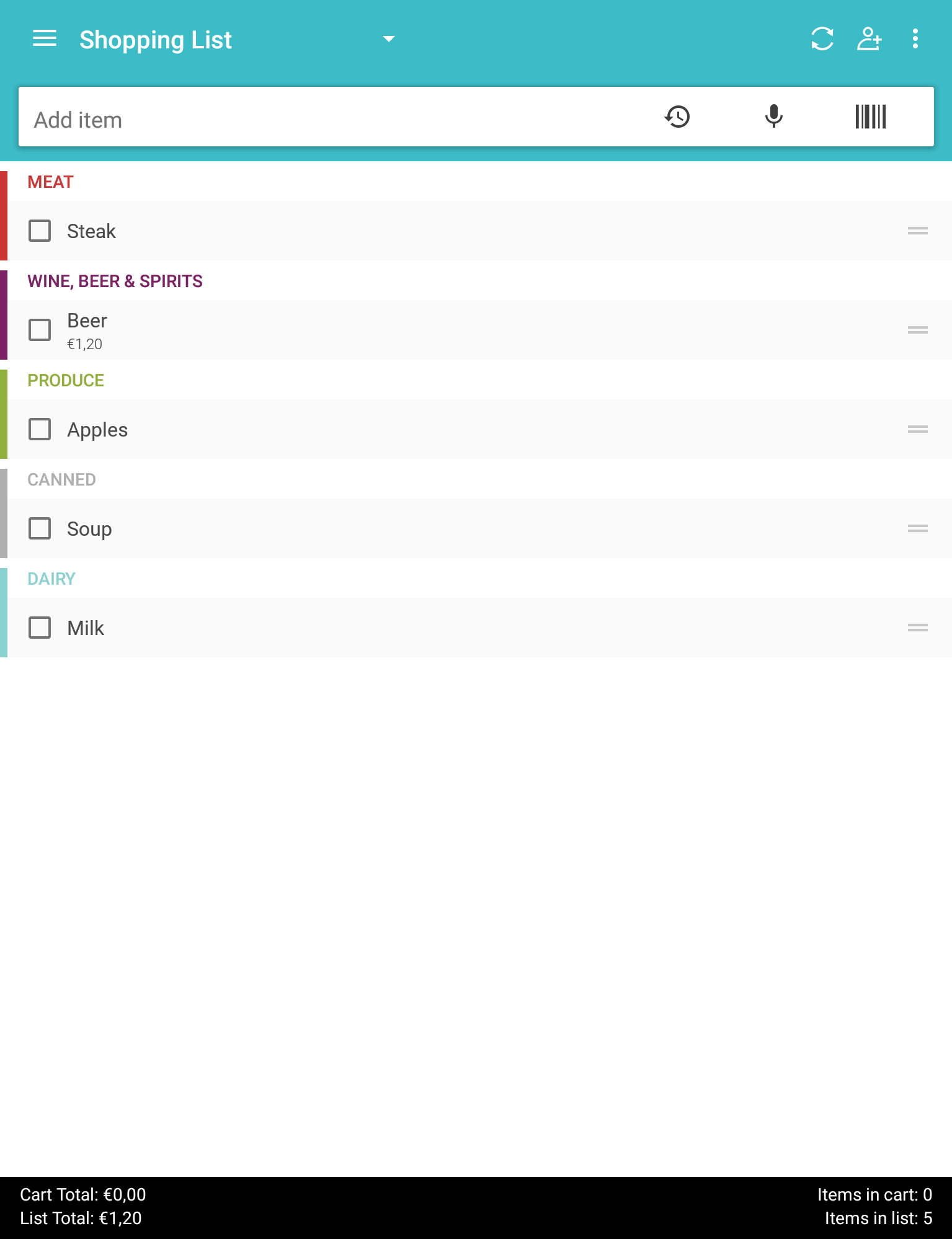
4. The items you selected have now been deleted! You should no longer see them in your list:
If you have a problem with duplicate items, try these steps to resolve the problem. If it doesn't solve your problem, please contact our support team via support@outofmilk.com.
Comments
0 comments
Article is closed for comments.